Download the jitbuzz app – Bangladesh's fastest and most secure mobile gaming app
Download the jitbuzz app for free on Android and iPhone. Get bingo, fish games, slots, casino—all games fast and smooth, right in your pocket.
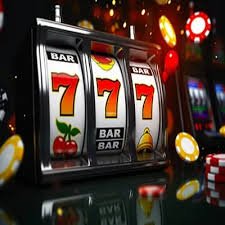
Download the jitbuzz app for free on Android and iPhone. Get bingo, fish games, slots, casino—all games fast and smooth, right in your pocket.
Android APK and iOS versions now available.
The best mobile gaming experience — exclusively on the JitBuzz app.
These days everyone wants to play games on mobile. But playing in a browser can be slow, uses more data, and games stall as soon as the connection weakens. The jitbuzz app solves these problems. It's built specifically for mobile—loads fast, uses less data, and once downloaded, many features work offline.
The biggest advantage of the jitbuzz app is that it's 3 times faster than the web version. Game loading time has been reduced by nearly 70%. Graphics are smoother, touch response more precise. The jitbuzz app delivers equal performance on both Android and iPhone. 500+ games, all wallet features, live support—everything in one app.
Another standout feature is notifications. The jitbuzz app has push notifications enabled. You'll be notified instantly when a new game drops, a tournament starts, or a bonus offer becomes available. It also supports biometric login (fingerprint or Face ID)—no need to type a password, just tap your finger to log in.
Not just games — the complete gaming experience, all in one app.
Thanks to optimized code and CDN technology, games load within 1–2 seconds. Hassle-free even on slow networks.
Log in with your fingerprint or Face ID. No more struggling to remember passwords.
Get instant updates on new games, bonus offers, and tournaments. Never miss a thing.
All data is protected with SSL encryption. Your account and payment information are completely secure.
Deposit and withdraw via mobile banking, card, or e-wallet without leaving the app.
Switch on Dark Mode for late-night sessions. Easier on the eyes and more comfortable to play.
The app stays functional even on weak networks. In low-data mode, data usage drops by up to 50%.
Contact 24/7 live support directly from within the app. Instant help whenever you need it.
Join daily and weekly tournaments. Check the leaderboard and win prizes — all from the app.

Simple guides for both Android and iOS.
Click the download button on this page. The APK file will be saved to your phone.
Go to Settings → Security → Unknown Sources and turn it on. This is required to install apps from outside Google Play.
Tap the downloaded APK file and click the Install button.
Once installed, open the app and log in or create a new account.
Tap the iOS download button on this page to open the App Store.
Tap the Get button on the App Store page. Confirm with Face ID or Touch ID.
After download completes, open the app, log in, and start your favorite game.
App vs browser—a quick comparison.
| Features | JitBuzz App | Web Browser |
|---|---|---|
| Loading Speed | ⚡ Lightning Fast | Comparatively slower |
| Biometric Login | ✓ Supported | ✗ No |
| Push Notifications | ✓ Supported | ✗ No |
| Low-Data Mode | ✓ Yes | ✗ No |
| Dark Mode | ✓ Yes | Limited |
| Game Performance | ⭐ Top Rated | Medium |
| Security Level | ⭐ Top Rated | Good |
| Price | Free | Free |

Jitbuzz app users receive exclusive app-only bonuses every month that web users don't get.
Claim App Bonus500+ games all in one app — something for everyone.
The jitbuzz app isn't just a download platform—it's a complete mobile gaming hub. From bingo to fish games, slots, and live casino—all types of games in one place. Every game is specially optimized for mobile screens, so you won't have trouble playing even on smaller displays.
Bingo is one of the most popular sections on the JitBuzz app, with thousands of players joining live bingo rooms every day. The Fish Game features stunning graphics that bring an immersive underwater world right to your fingertips. The slots section offers hundreds of machines ranging from classic to modern themes. And in the Live Casino, you get to play face-to-face with real dealers — a truly unique experience that sets the JitBuzz app apart.
New games are added to the jitbuzz app every week. The latest additions are shown separately in the "New" tab. The "Popular" tab displays the most-played games. Save your favorite games to quickly access them next time.

The most common questions about downloading and using the app.